Review the evidence, then decide. From your phone, away from the desk.
The SeekIQ app is the companion to SeekIQ on the web. Between meetings or on the way home, see who is waiting on you, check the evidence behind a score and make the call with one thumb, in Bangla or English.
Made for the minutes between meetings. Evidence first, then your call.
- 01 · Today
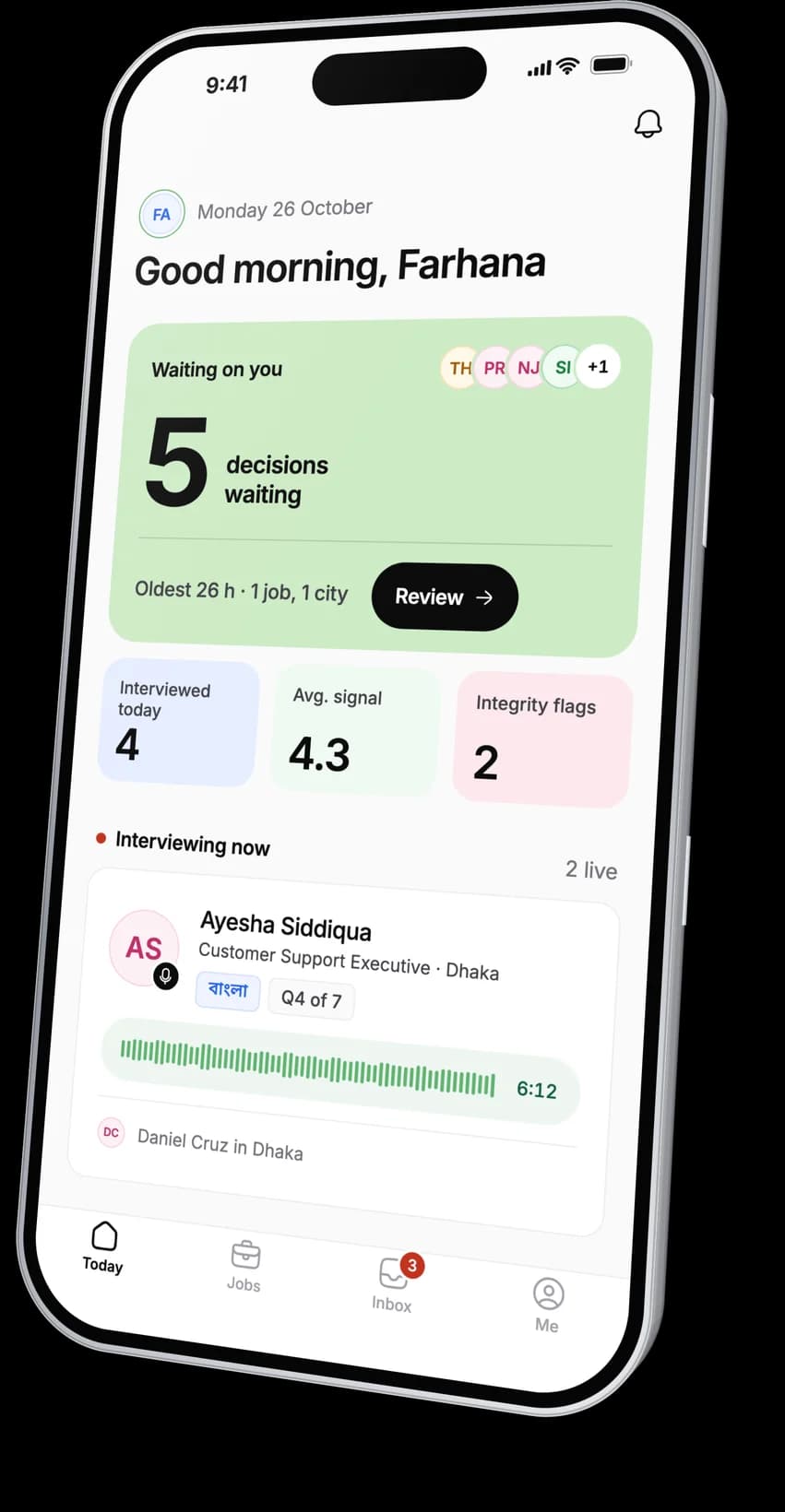
See who is waiting on you.
Decisions, integrity flags and sign-offs that need you, oldest first. Plus the interviews finished today and what is coming up.
- 02 · Ranked list
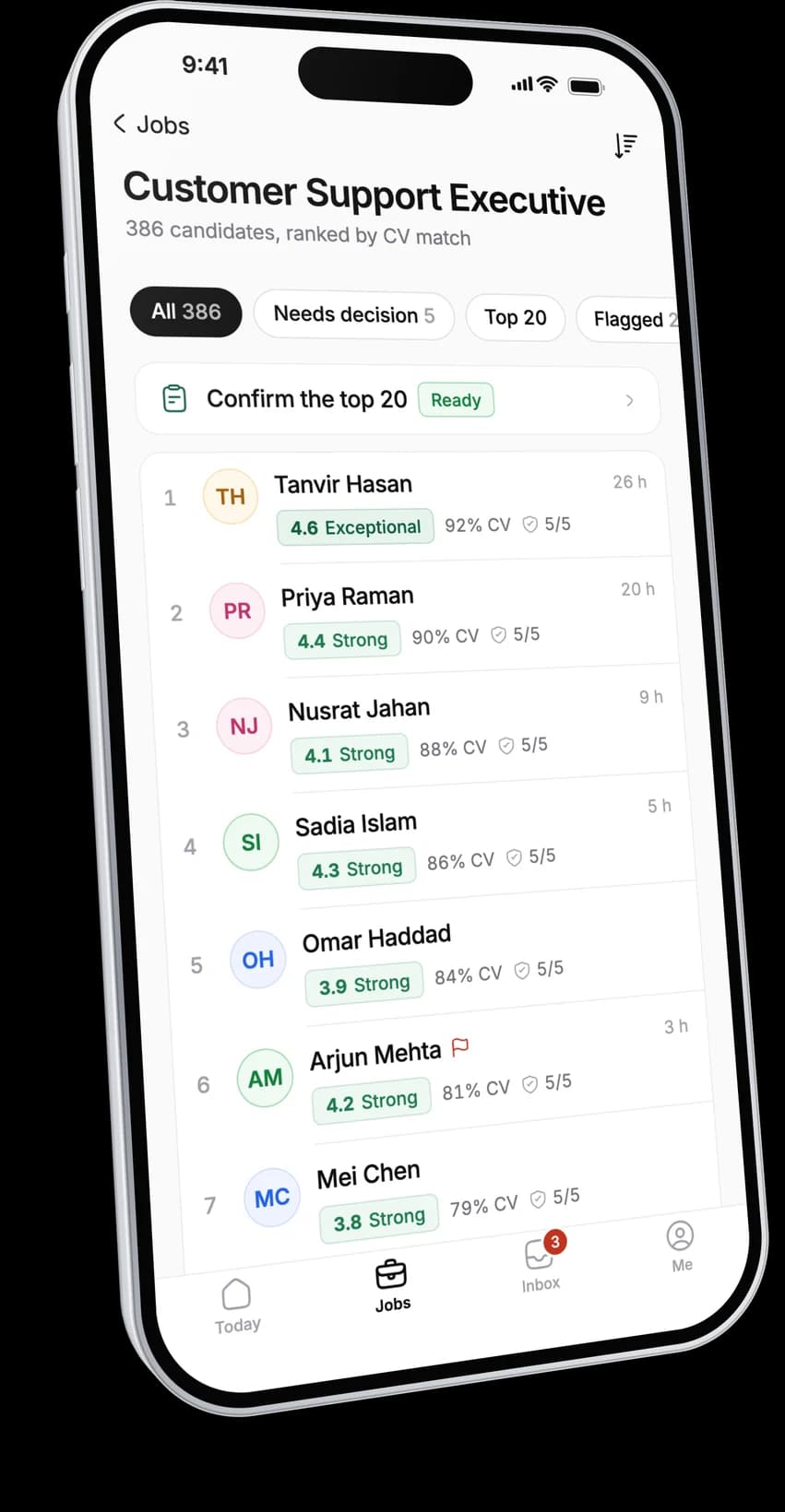
Every applicant, ranked.
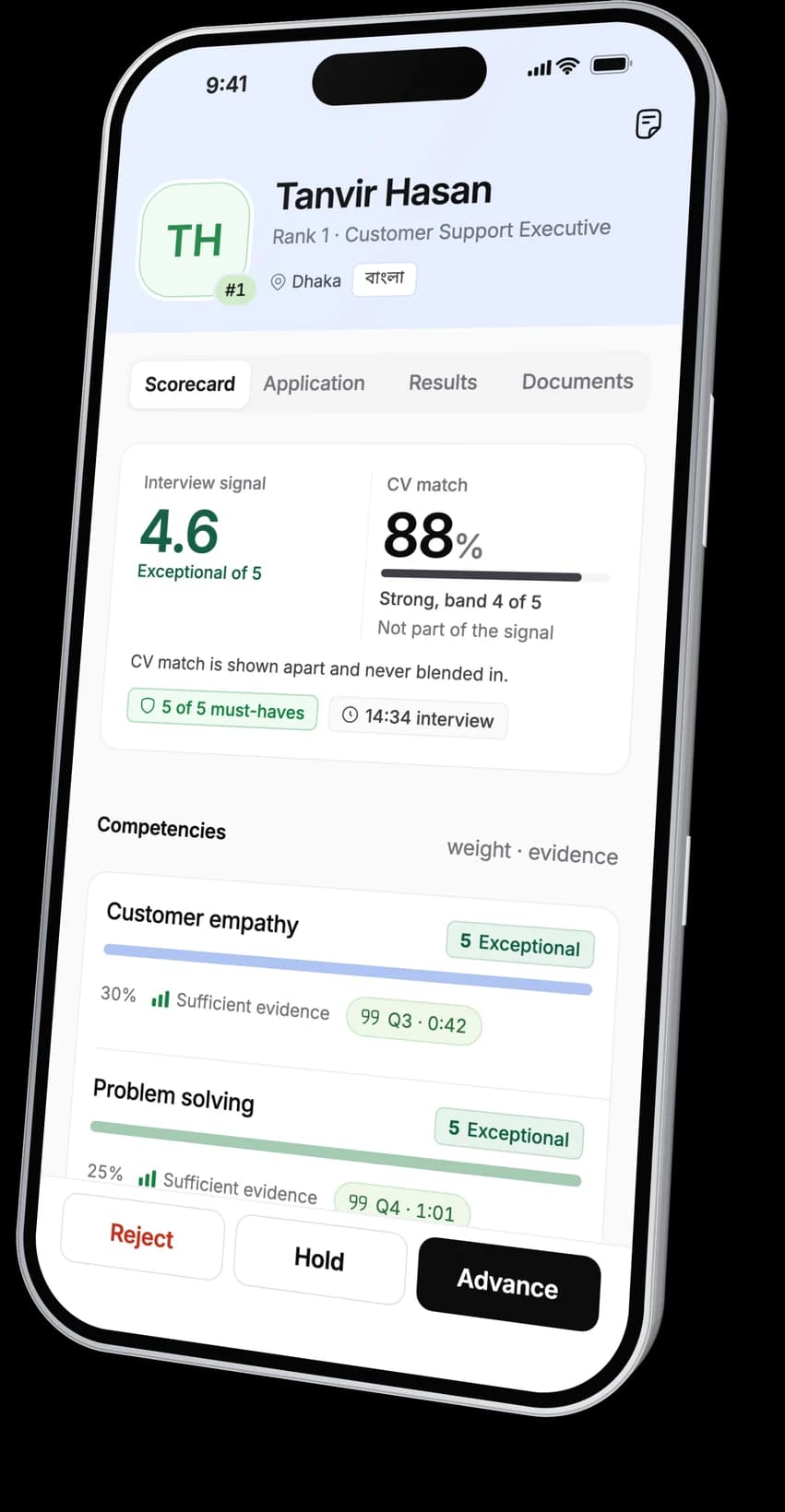
Each job's applicants ranked by CV match, with the interview signal beside it. They are two separate measures and never blended into one number.
- 03 · Receipts
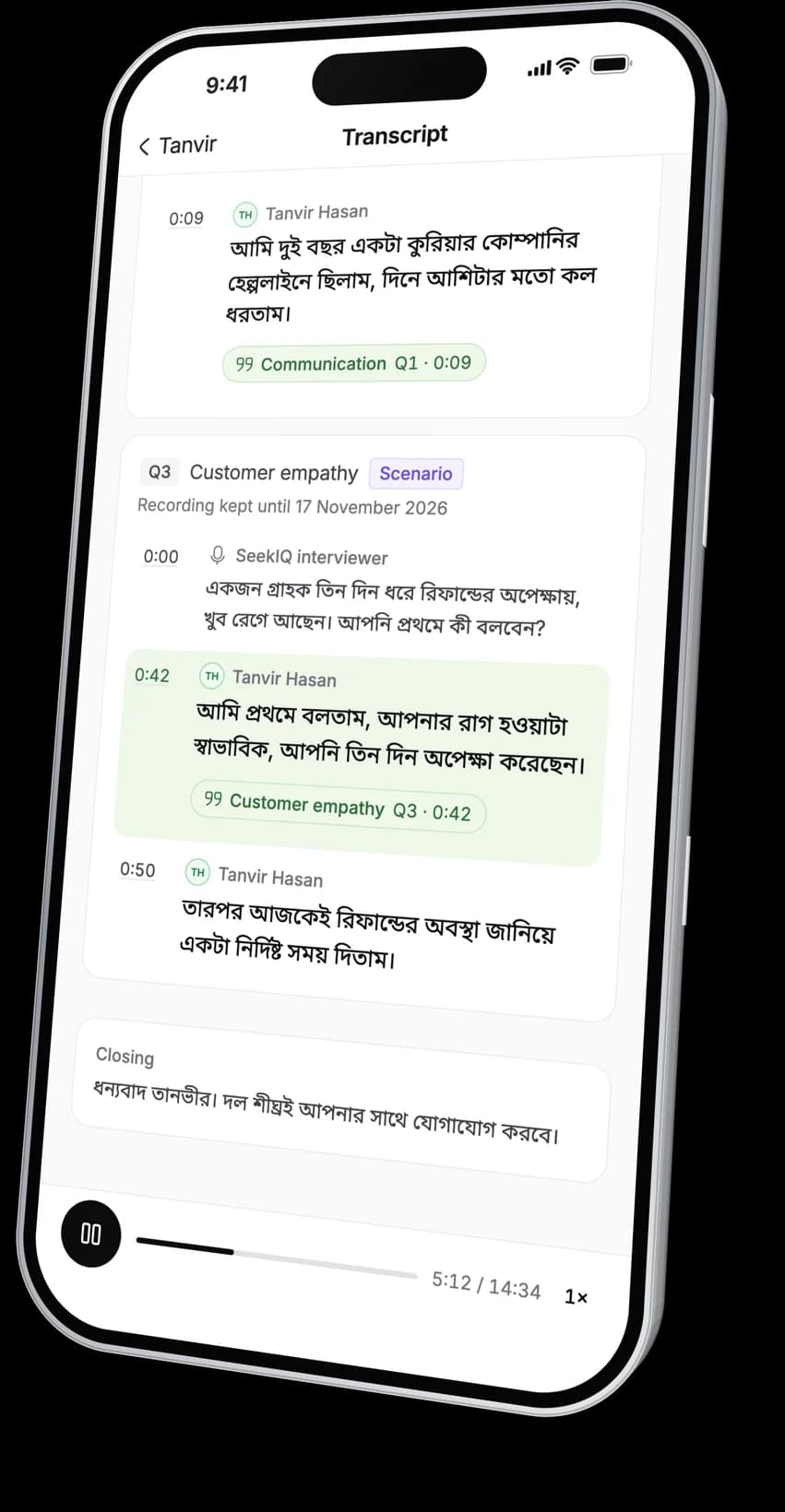
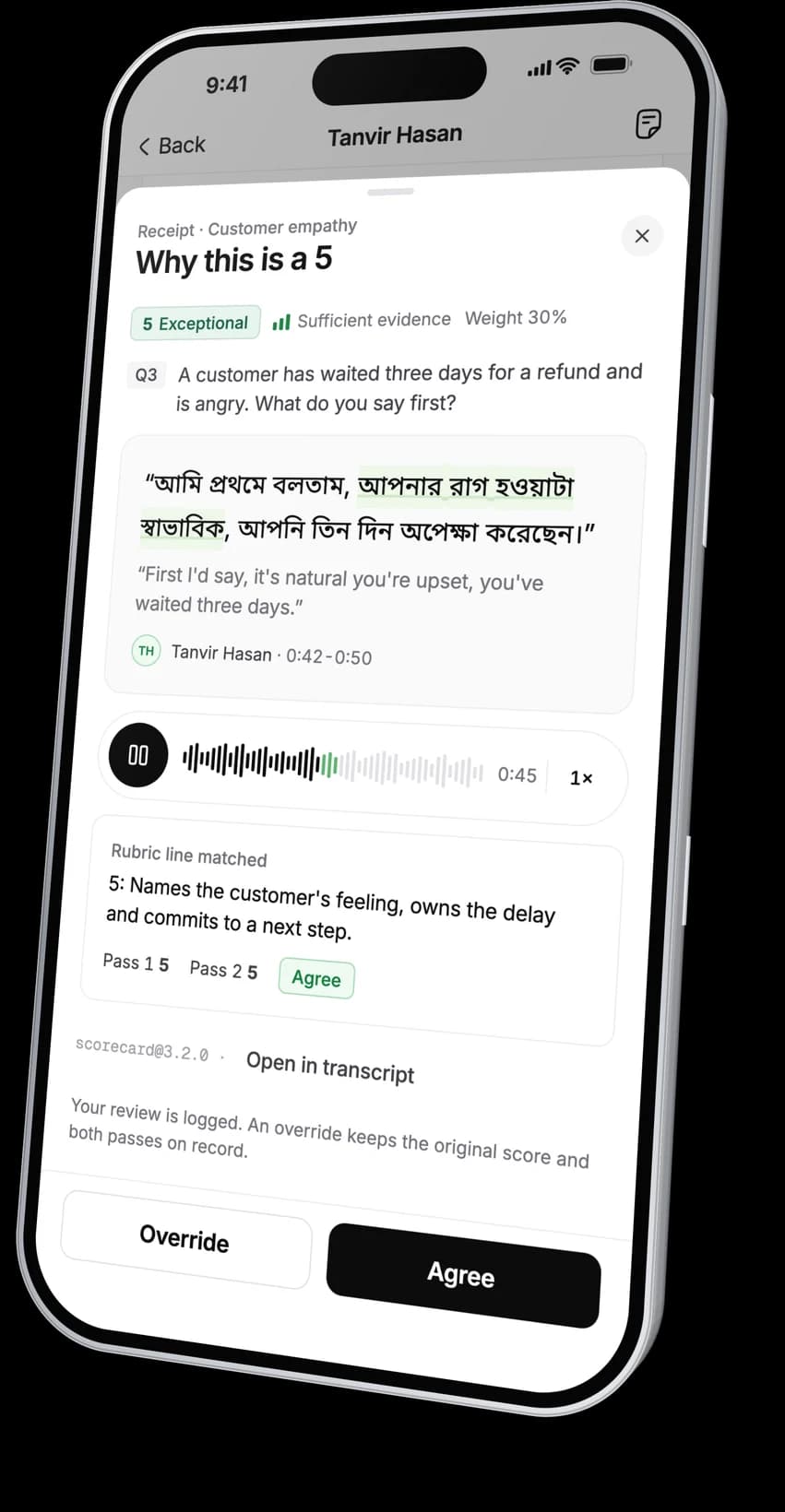
Hear the moment behind a score.
Every score links to the candidate's own words, the few seconds of audio and the rubric line it rests on. Agree with it or override it.
The whole interview plays too, beside its transcript.
- 04 · Decide
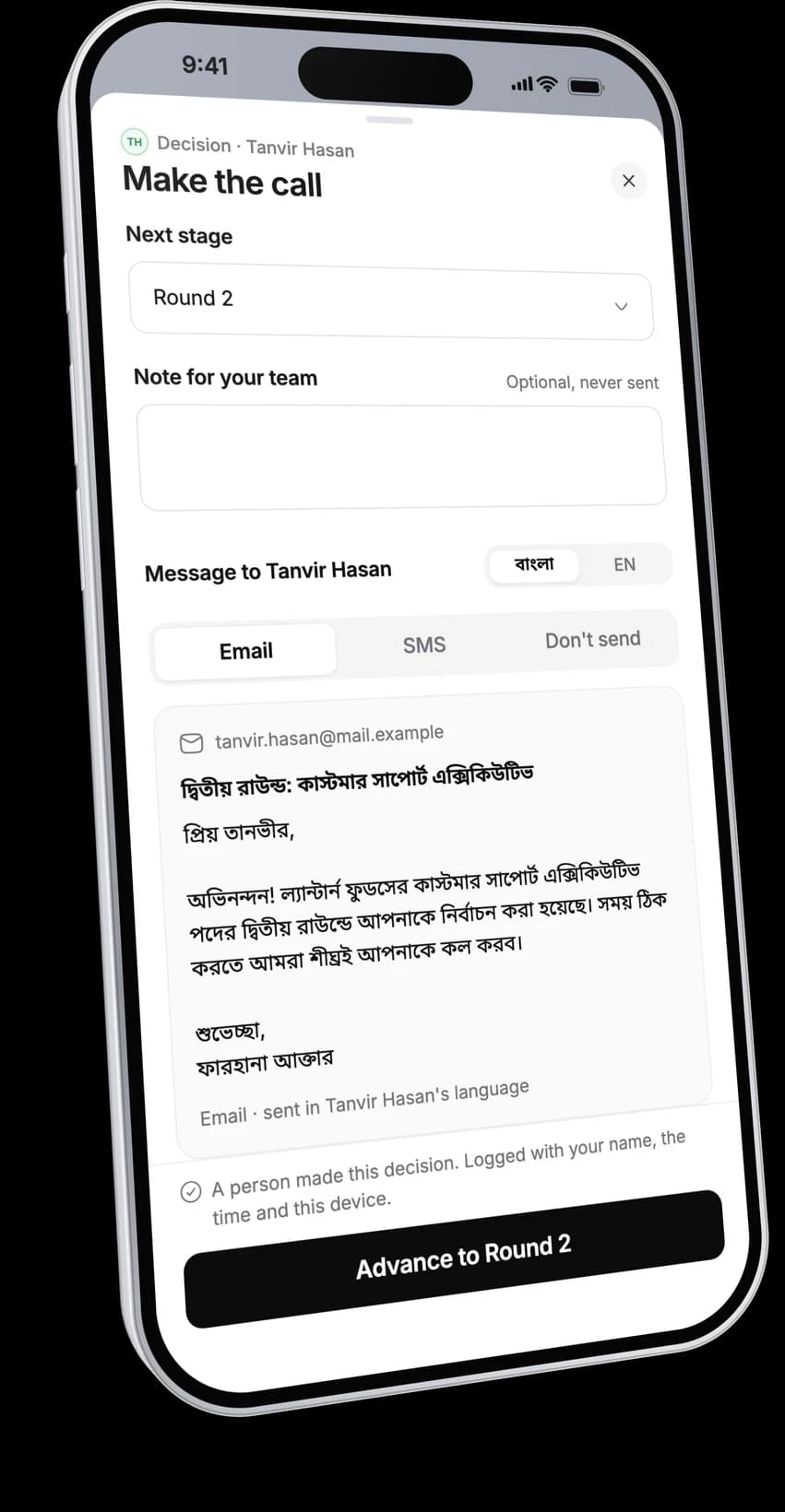
See the message before it goes.
Advance, hold or reject with a reason and the next stage. You read the exact email or SMS the candidate will get, in their language. The decision is logged with your name.
- 05 · Shortlist
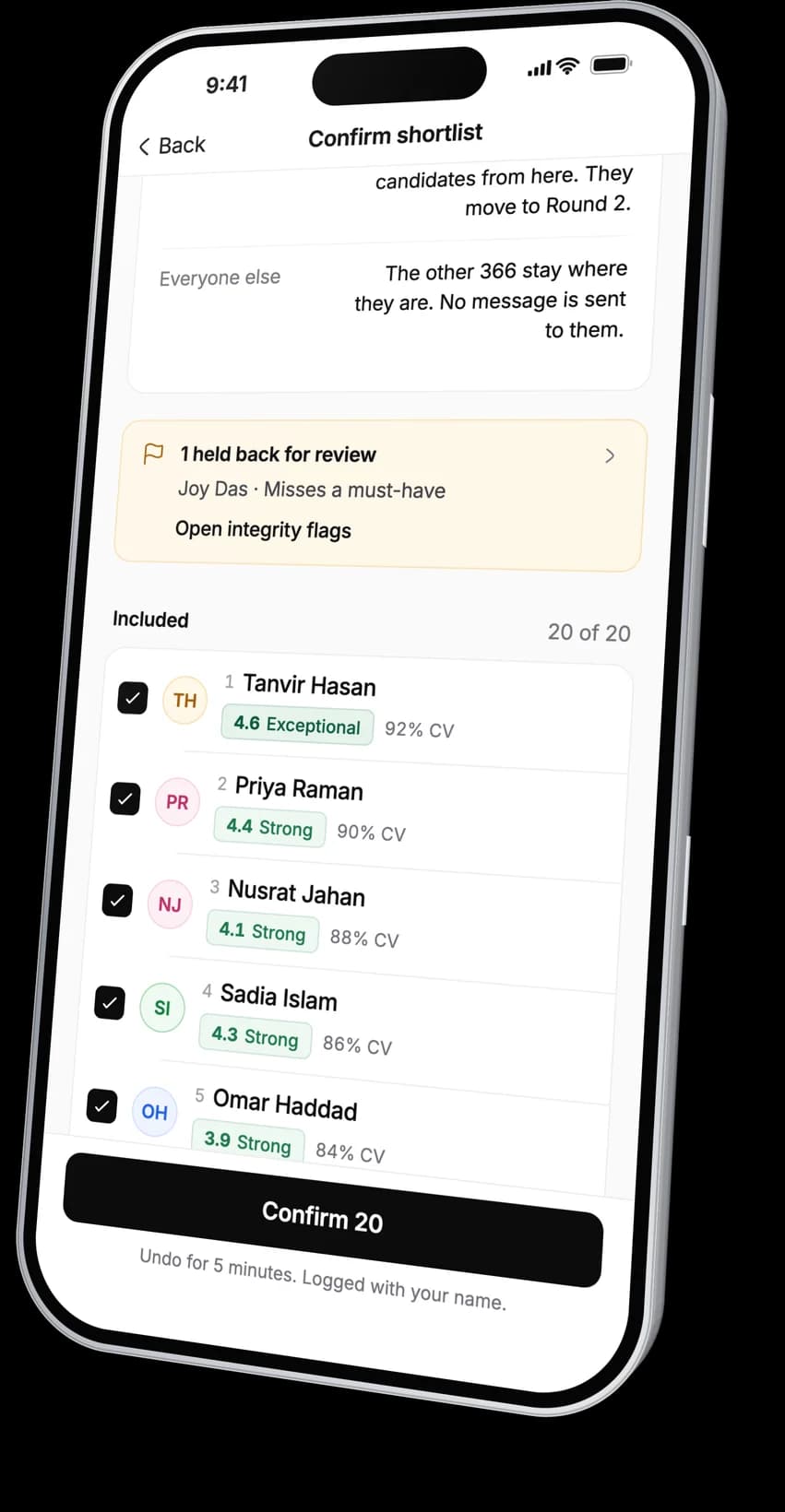
Confirm the shortlist.
See the proposed top candidates and the ones held back, and untick anyone. Nothing is sent until you confirm.
- 06 · Sign-offs
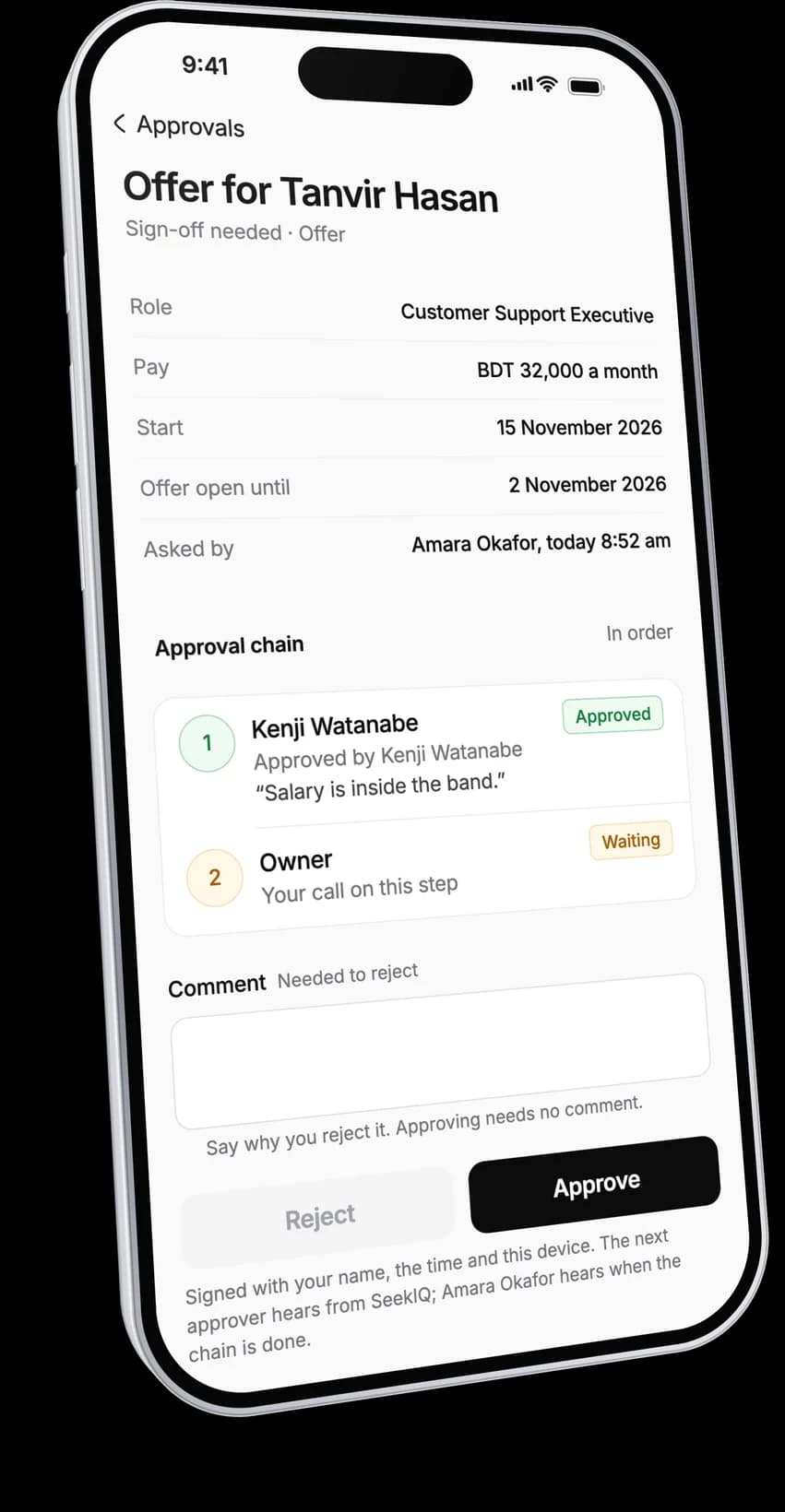
Sign off on the go.
Approve or reject an offer or a requisition with a comment. Countersign documents for the company, confirmed with a code sent to your email.
Small on purpose. Everything else on the phone helps you decide.
01Notifications
A push when a decision is waiting, a scorecard is ready, a flag is raised, a shortlist is ready to confirm, a sign-off needs you or a teammate mentions you.
02Integrity flags
Hear the clip and read why the flag was raised. Dismiss it with a reason or ask the candidate for a follow-up. A flag never rejects anyone.
03Bangla and English
Set the app to Bangla or English in your settings. Messages to candidates stay in the candidate's own language.
04Autopilot decisions
When a job's autopilot rule makes a decision, you see the rule and the reason, and you can undo or reverse it.
05On a weak signal
What you have opened stays readable for up to seven days without a connection, encrypted on the phone.
The phone reviews and decides. The setup stays on the web.
The app never changes how a job or a workflow is set up. These stay at app.seekiq.io.
Jobs
Opening and editing jobs, job descriptions, criteria and rubrics.
Workflows
Stages, interview plans and automations. The app moves a candidate only to a stage the workflow offers.
Scheduling and offers
Booking interviews and writing and sending offers. On the phone you sign off on offers and countersign documents.
Billing and settings
Plans, credits and billing, plus team, roles, templates and integrations. On the phone you set only your own language, notifications and devices.
Candidates never use this app. They apply and interview in their phone's browser.
Your role on the web is your role on the phone. The app never widens it.
Recruiters and owners
Every screen for every job: review, listen, decide, confirm shortlists and review flags.
Hiring managers
The jobs where they are on the hiring team. They review and listen, and decide at the stages the workflow hands them. Candidate phone numbers and emails stay hidden.
Viewers
Read only: ranked lists, scorecards and transcripts. No audio and no decisions.
The phone records nothing. It only plays what is already there.
No recording or capture
The app does not use the microphone, camera, contacts or call log.
Private audio links
Each clip plays from a signed link that stops working after 15 minutes. Recordings are never public.
Templates only
You cannot type a free message to a candidate from the phone. Messages go from your workspace's templates and you see them before they send.
Your devices
See every phone signed in to your account and sign any of them out. You can also delete your account from the app.
Take your decisions with you. For Android and iPhone.
Sign in with the account you use on the web. No workspace yet? Start a trial on the web first.